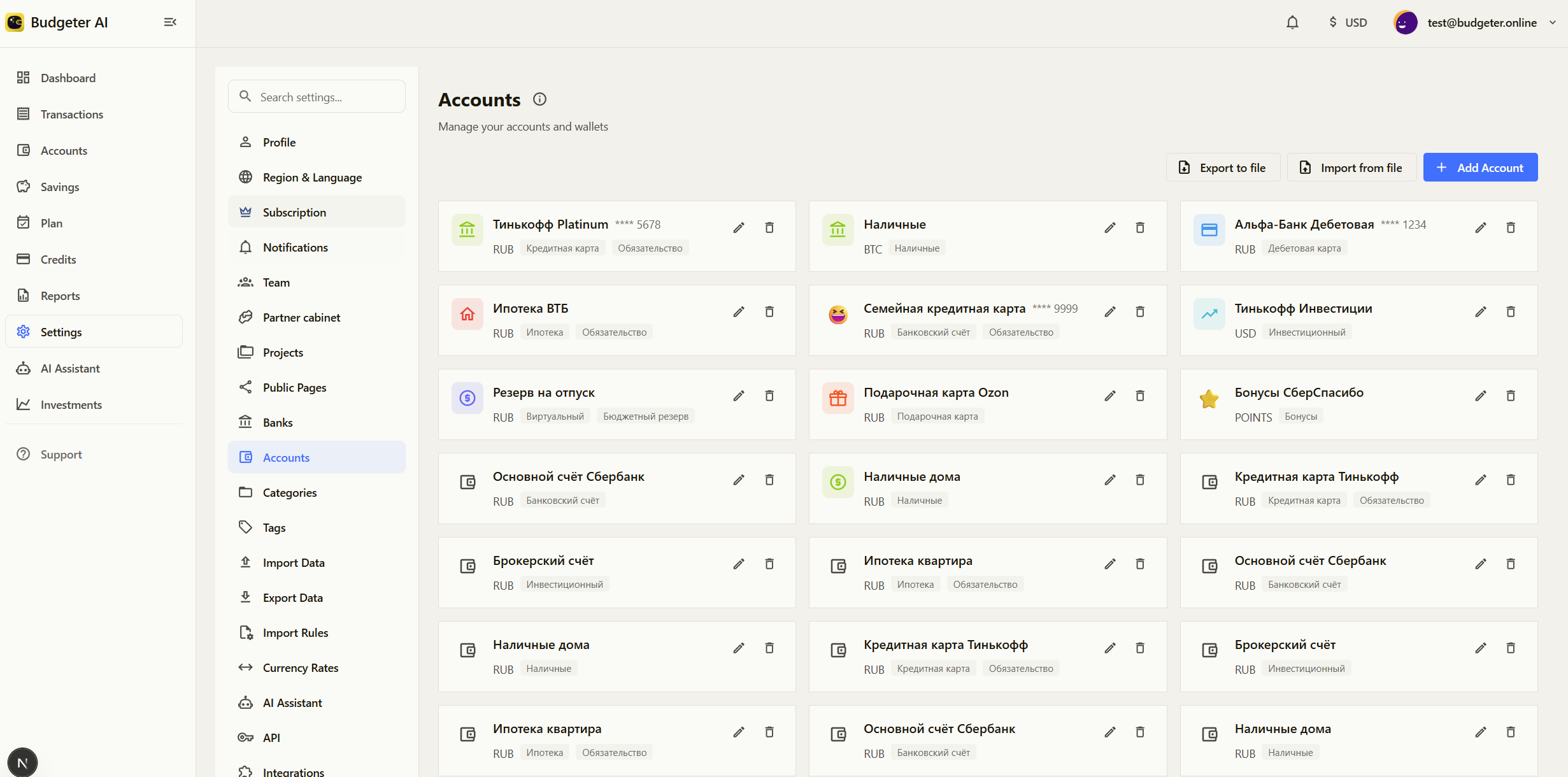
Accounts store your balances and transactions in Budgeter. Creating separate accounts for bank balances, cash, cards, or loans helps you track where your money is and how it changes over time.
Where to manage accounts
Open Settings → Accounts in the Budgeter app (web or mobile). This page lets you create new accounts, edit existing ones, and archive accounts you no longer use.
If available in your version of the product, this page may also display a visual list of all accounts with their current balances and colors for quick identification.
Account types
When creating an account, you choose its type. The type helps organize accounts and determines how the balance is interpreted in reports.
Bank accounts — standard checking or savings accounts. Use this type for most everyday accounts where money is stored and spent from.
Cash — physical money such as wallet cash or petty cash. This is typically used for small daily expenses that are not paid by card.
Debit and credit cards — card balances used for payments. Debit cards usually represent money you already have, while credit cards represent spending that may need to be repaid later.
Loans — liabilities that track outstanding debt, such as personal loans or mortgages. These accounts usually represent money you owe rather than money you have.
Other — accounts that do not clearly fit the categories above (for example, temporary balances or special tracking accounts).
Note: Asset accounts (such as bank or cash) typically represent money you own, so their balances contribute positively to your finances. Liability accounts (such as loans) represent money you owe, so their balances reflect outstanding debt.
Account properties
Each account includes several basic settings:
Type — the account category.
Currency — the currency used for the account balance and transactions.
Name — a display name that helps identify the account in lists and reports.
Color — an optional visual label used in the interface to quickly distinguish accounts.
Managing accounts
Add an account
Open Settings → Accounts.
Click Add account.
Select the account type.
Enter the account name and choose the currency.
Save the account.
Example
Example: creating a cash account for daily expenses.
Open Settings → Accounts and click Add account.
Select Cash as the account type.
Name the account Wallet.
Choose the currency you use for everyday spending.
Save the account and start recording cash transactions.
Edit or archive an account
Open Settings → Accounts.
Select the account you want to update.
Edit its properties or choose the option to archive the account if you no longer use it.
Limitations
Available fields and behavior may vary depending on the selected account type.
Archived accounts remain in the system for historical transactions but cannot be used for new activity.
See also